Every student follows your lesson, in their own language.
Live Classroom Captions turns your speech into on-screen captions and translates them in real time, inside Google Docs, Slides, or any web page you teach from.
Free · No account needed to start · Works on any website
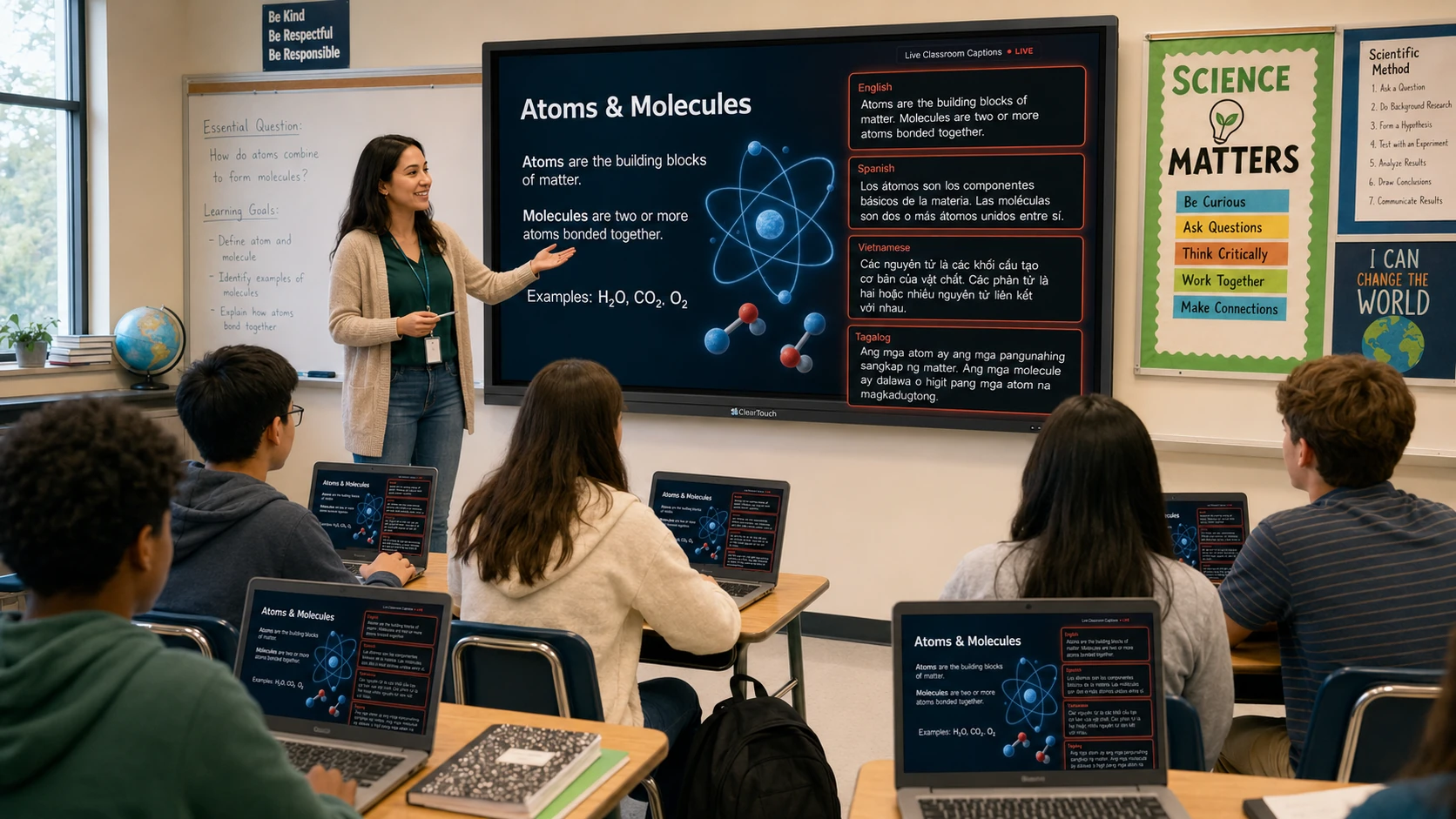
Captions on the board for the whole room, and on each student's own screen in the language they read.
A captioning tool that actually fits a classroom.
Built by a teacher around how lessons really run: speak naturally, keep teaching, and let every student read along.
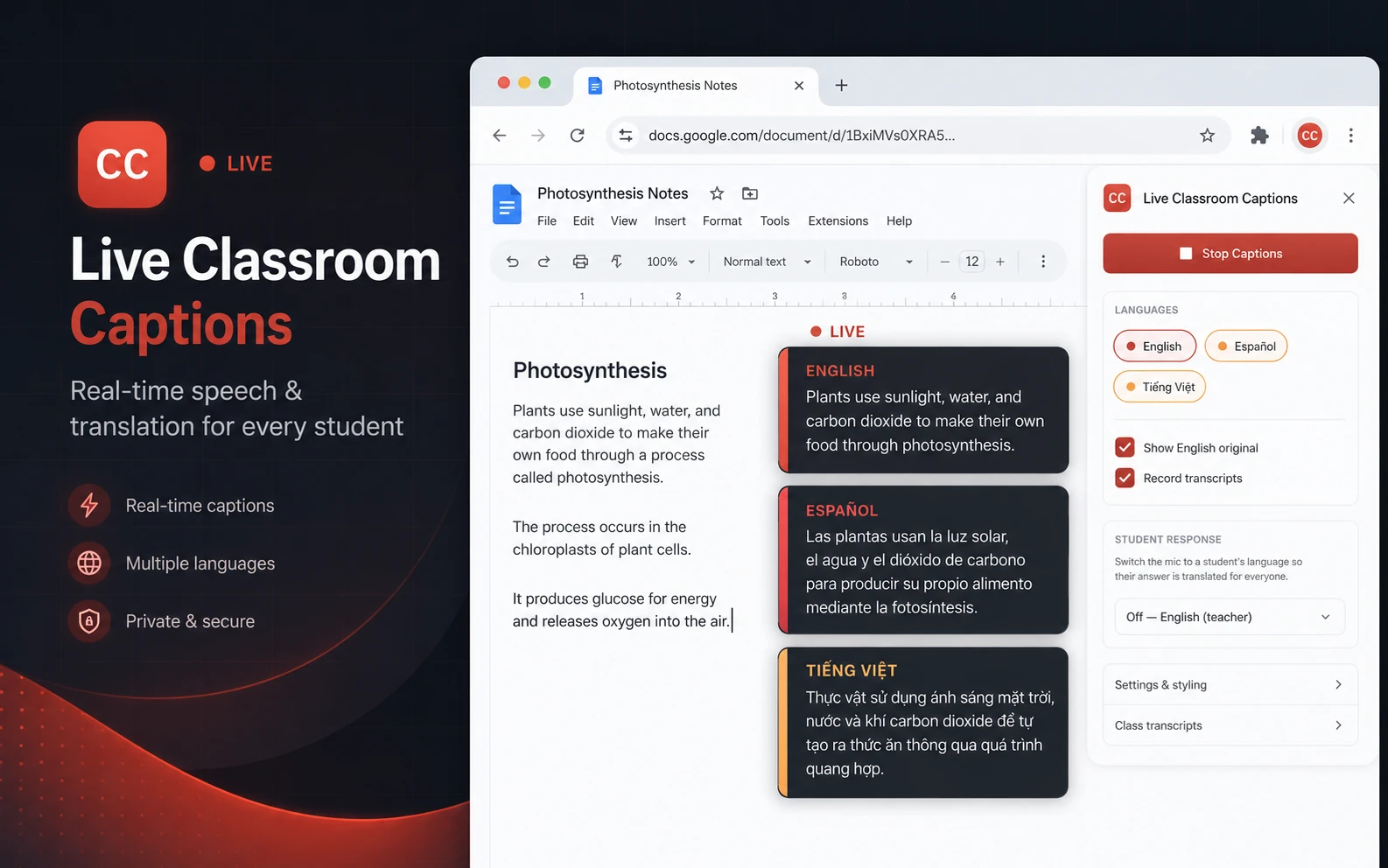
Speak in English. They read in their language.
Your words appear as clean, scrolling captions the moment you say them, with each translation beside them in its own color-coded box. Over 100 languages, powered by Google Translate.
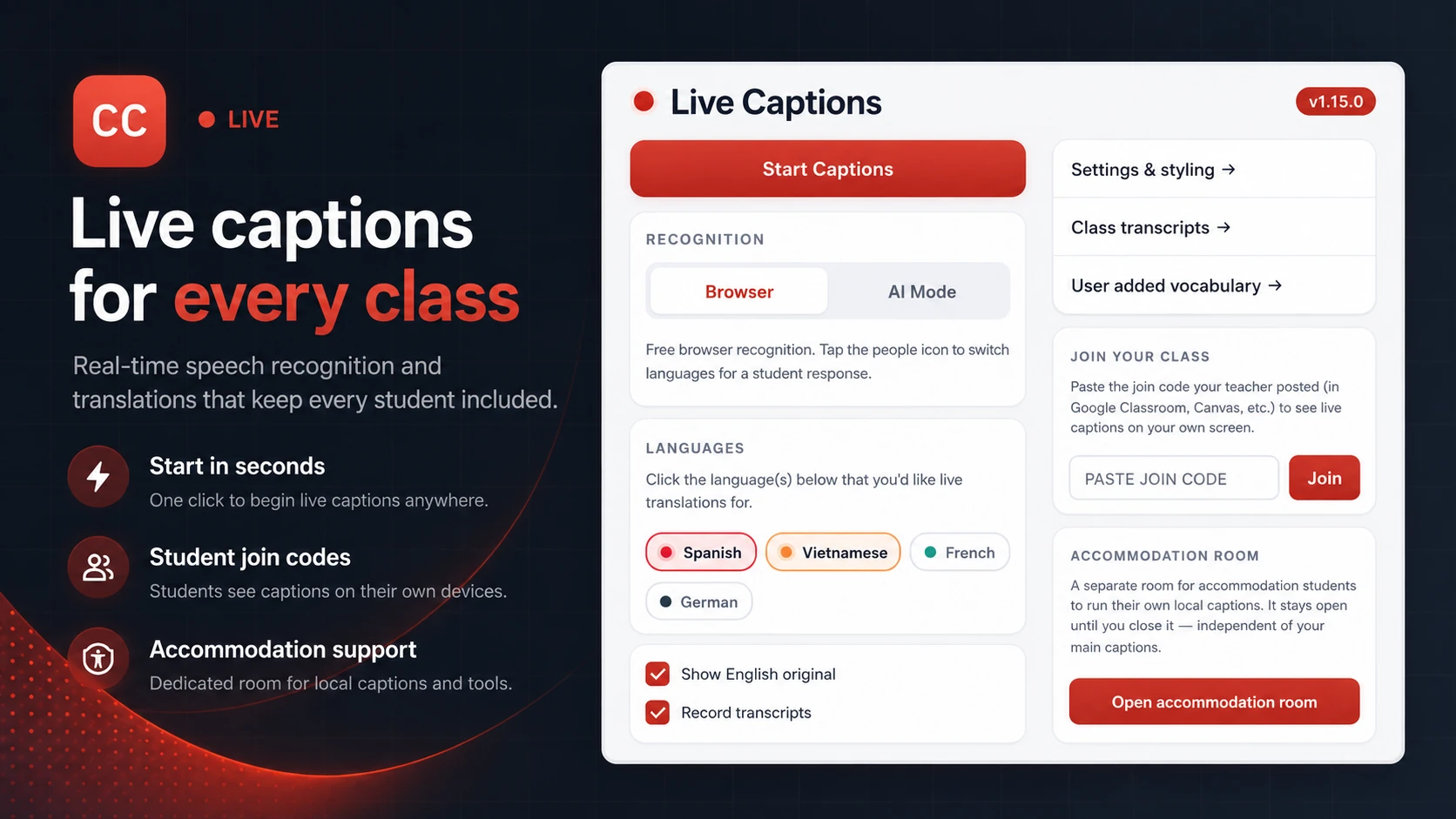
Every student, on their own screen.
Share one join code in Google Classroom or Canvas. Each student pastes it into the extension once and reads your captions live on their phone, tablet, or Chromebook. Students with several teachers keep a saved list and tap to switch.
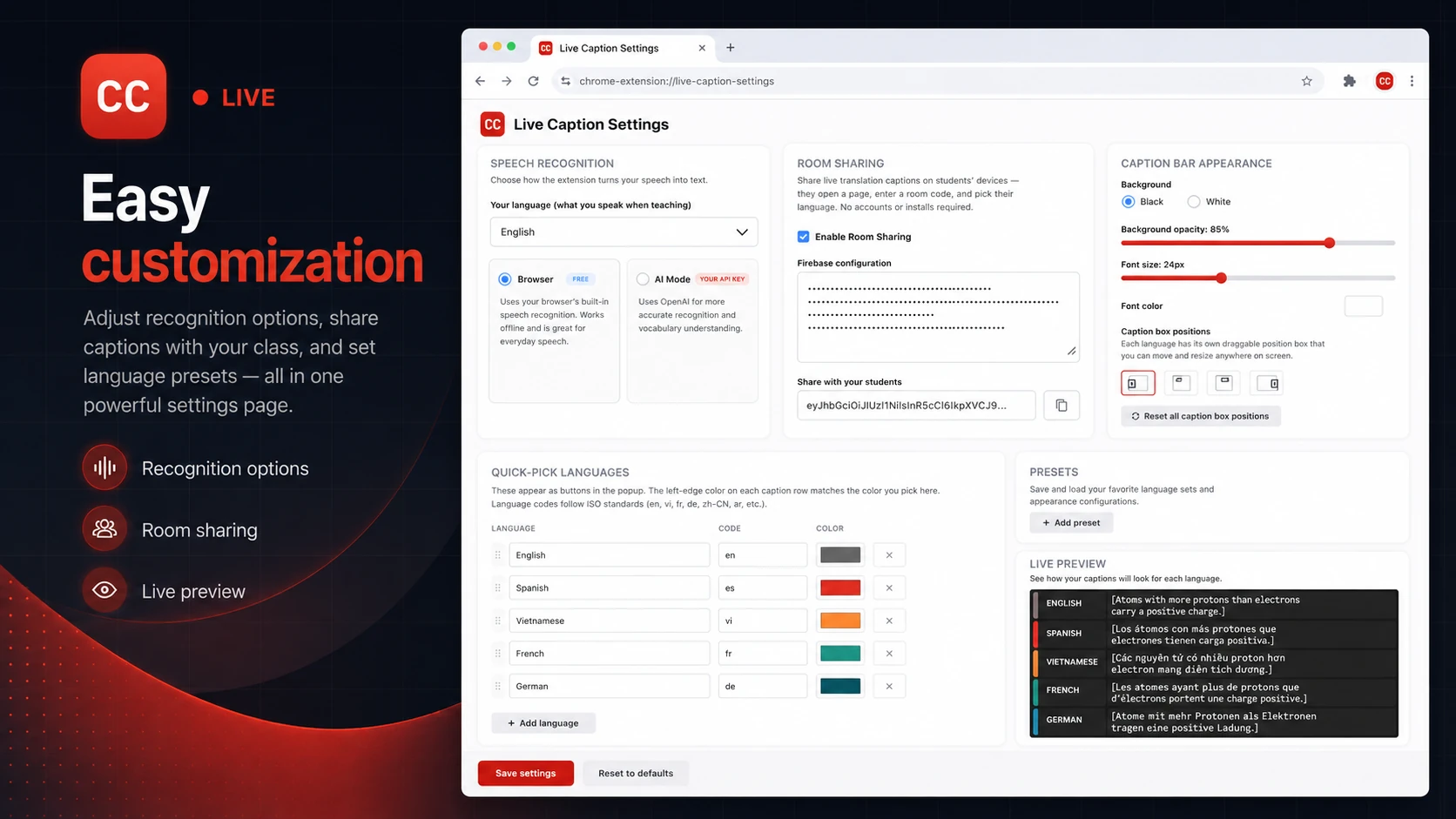
Place it where it won't cover your work.
Each language gets its own draggable, resizable caption box. Set the colors, font size, and background, and watch a live preview update as you go.
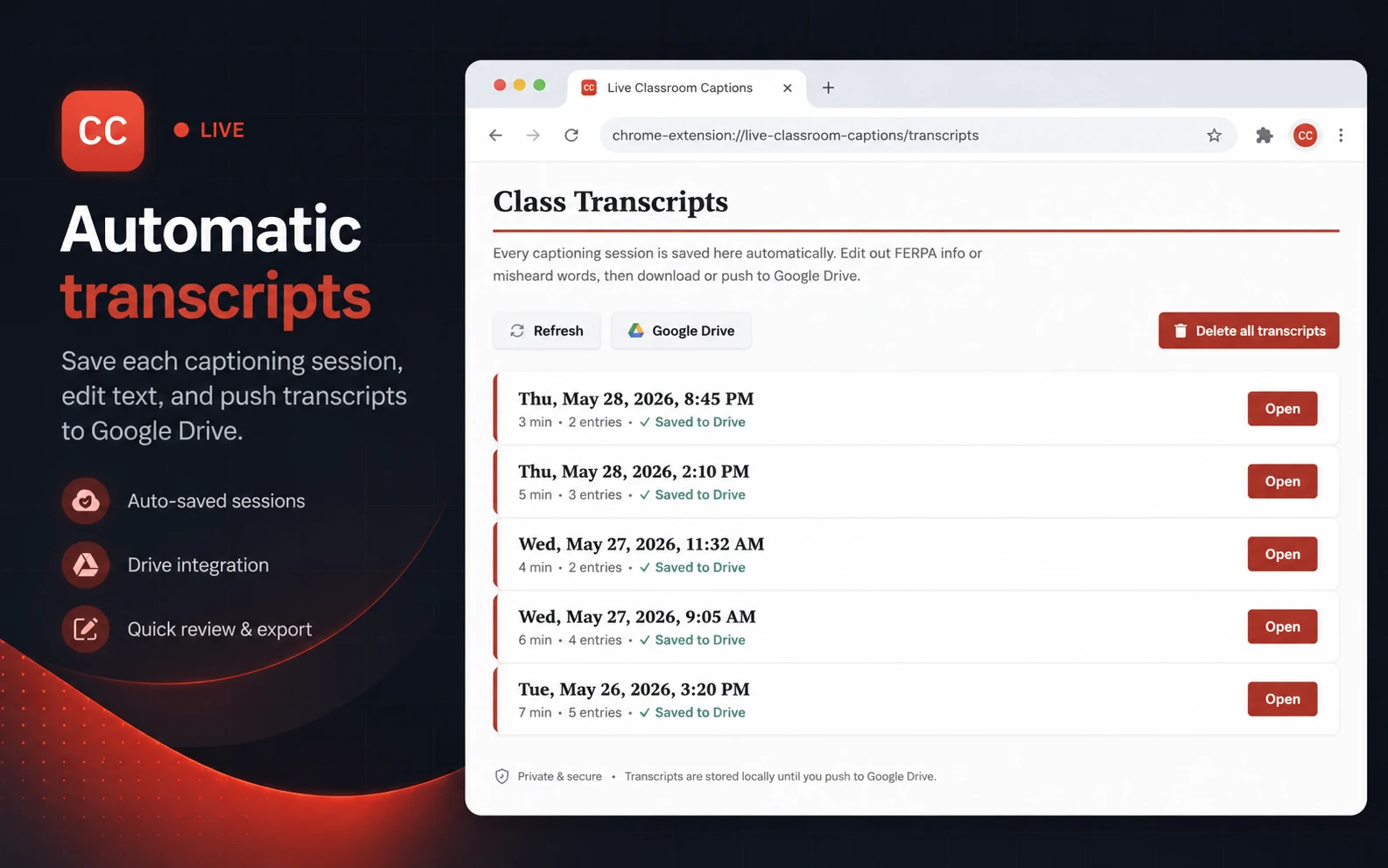
A record of every class, saved to Drive.
Every session saves on its own. Edit out names or misheard words, then push it to Google Drive as a formatted Doc with one click. The extension only ever sees the files it creates.
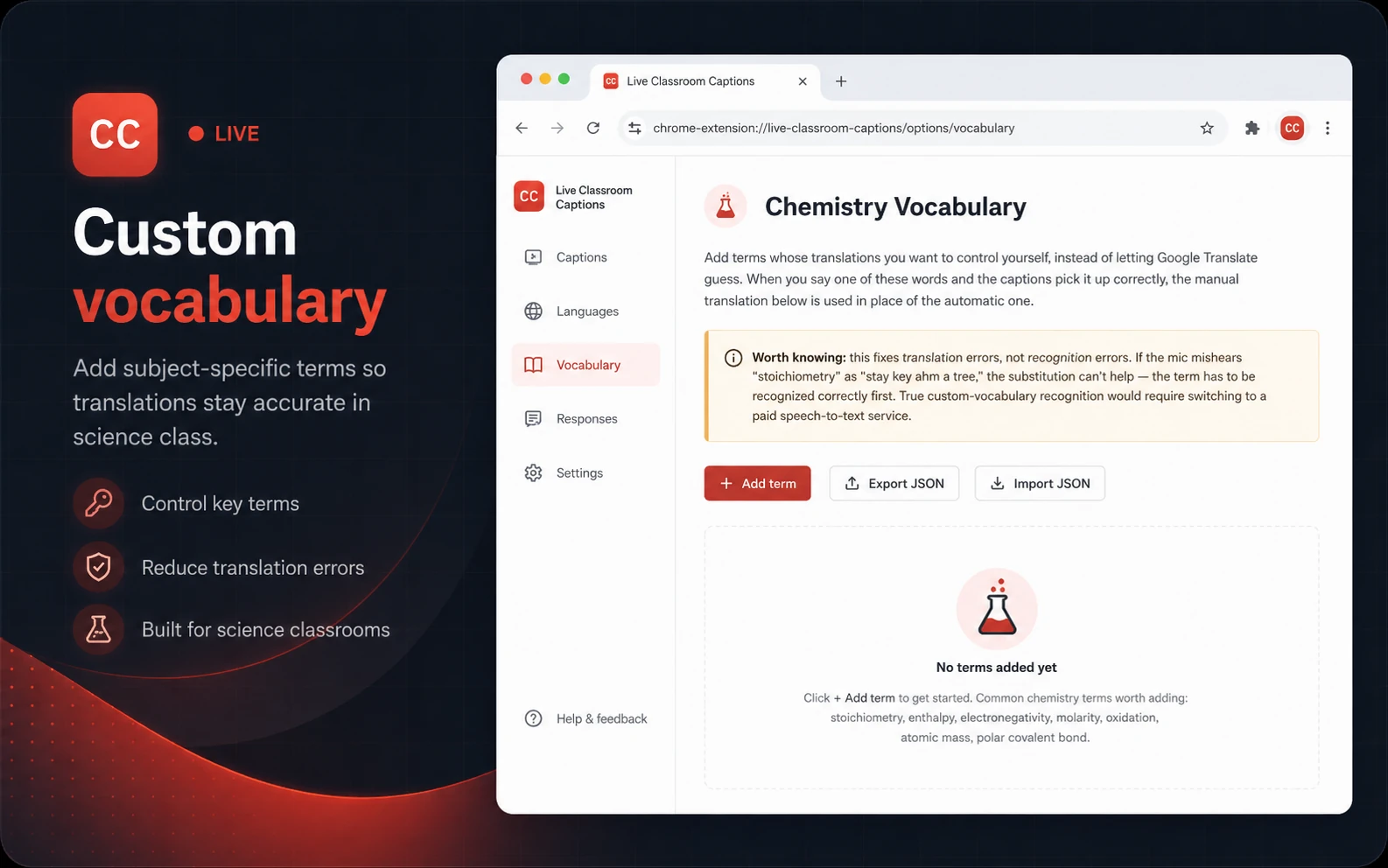
Vocabulary that translates correctly.
Add the terms your subject leans on so words like "stoichiometry" come through right every time. A chemistry list ships built in, and you can adapt it to anything.
Recognition your way
Free built-in speech recognition, or connect an OpenAI key for higher accuracy with technical terms.
Student response mode
Tap the people icon and the mic listens in a student's language, translating their answer back to English.
Accommodation room
Open a separate room where a student runs their own captions for a read-aloud test, on their own screen.
Up and running in minutes.
You install once and start talking. Students join with a code and pick a language.
You, the teacher
Install from the Web Store. No account needed to start captioning.
Open any page, click once, and start teaching. Captions show up instantly.
Name your class and post the code in Google Classroom or Canvas.
Your students
The same one-click install from the Web Store.
One time per teacher. Their class is saved from then on.
Your captions appear on their screen whenever you're running them.
Turn on student access.
Student access runs on your own free Google Firebase project, a one-time setup that keeps your class's data private and the whole thing free.
Bring live captions to your classroom.
Free on the Chrome Web Store. Built by a teacher, for teachers.